Jarvys
A web app where non-developers describe an automation in plain English and get an editable, schedulable flow of API, scrape, LLM, code and messaging blocks, with the front end built on Next.js, Clerk and Stripe credit billing.
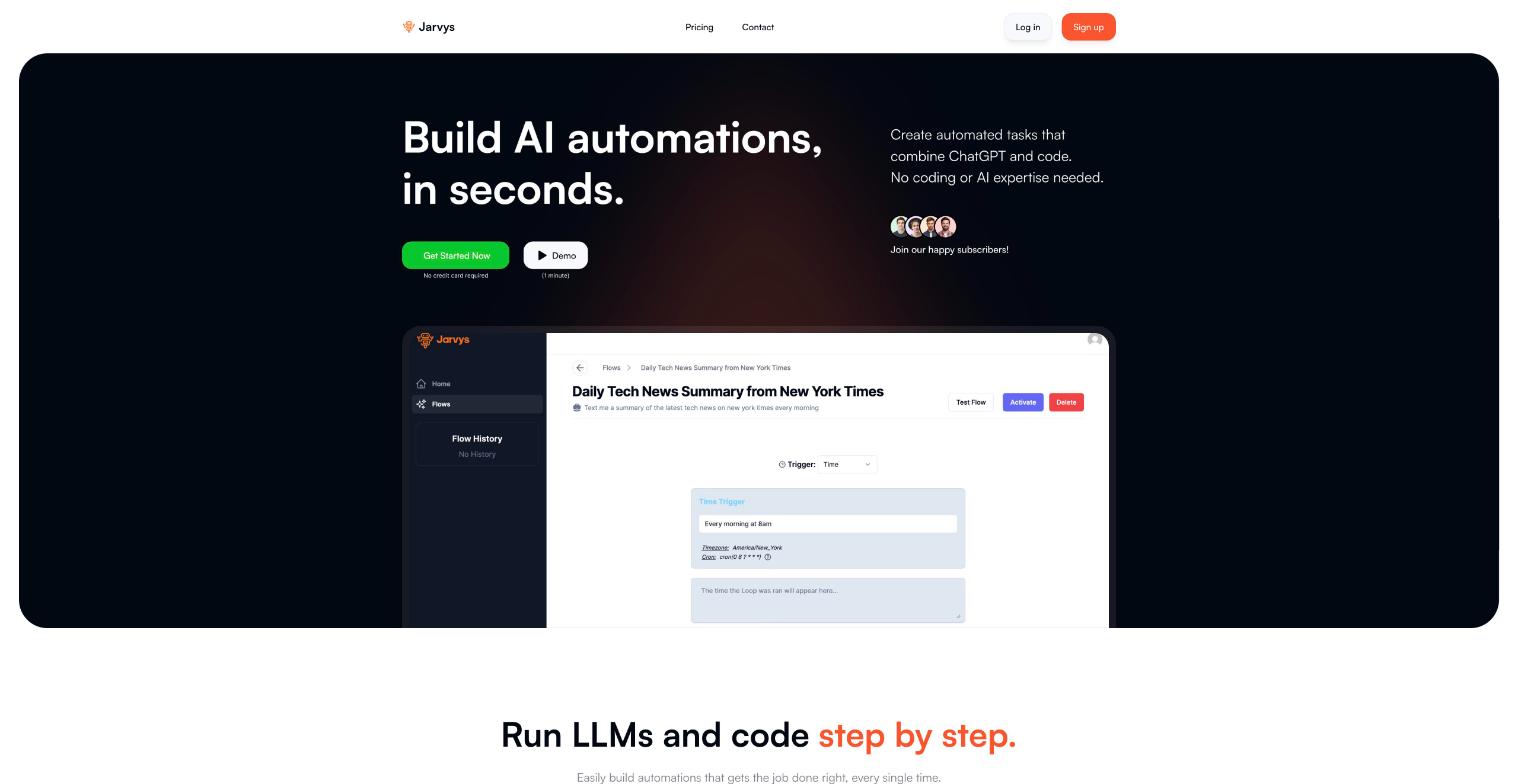
Overview
Jarvys lets a user type something like "text me a summary of CNN's homepage every 10 minutes" and turns it into a flow of connected blocks that they can edit and activate. I built the web client: sign-in, the prompt-to-flow screen, the block-by-block flow editor with auto-save, run history, ready-made templates, and credit-based billing with Stripe plans. I also wrote the API routes the client uses to read flows and history from the database.
The business idea
Most people have repetitive tasks they could automate, such as checking a page, summarizing it and sending the result, but integration tools expect you to wire everything together by hand. Jarvys lets a non-developer describe the task in plain English, generates the flow of steps, and keeps every step editable, so the automation can start simple and be adjusted later.
Goals
- Let someone create an automation from a plain-English description instead of wiring up an integration tool by hand
- Keep every generated step editable, so users can change it or add their own
- Cover the common automation actions in one place: calling APIs, scraping pages, running LLM prompts, running generated code, and sending SMS, email or webhooks
- Monetise usage through credits that come with free, subscription and pay-as-you-go plans
Tech stack
Key features
- Users sign up and sign in with Clerk, and all routes except the Stripe webhook require a session
- Users describe an automation in plain English and get a generated flow with a title, description, trigger and steps
- Users edit a flow block by block: add a block at any position, remove one, reorder through the editor, and changes auto-save
- Flows can be triggered on a schedule (cron with a timezone), by an incoming email, or by a webhook
- Flow blocks include API call, web scrape, LLM call (GPT-3.5 or GPT-4), generated code (Python), exit-if condition, send SMS, send email and send webhook
- Users test a single block or the whole flow
- Users activate or pause a flow, edit it, or delete it
- A flow history page lists past runs and each run's flow JSON
- A flows table lists the user's flows, with filters on the home page
- Template flows (for example an AI news summary) can be previewed with demo blocks and cloned into the user's account
- Users buy a subscription or one-time credit pack through Stripe Checkout and manage billing in the Stripe customer portal
- Credit balance and current plan are shown in a plans modal, with an error message when credits run out
- The app works on mobile, and includes Intercom and Canny scripts for support and feedback
Challenges & solutions
A flow is an ordered set of blocks that users can add, remove and edit at any position, and every change has to be saved. Early versions used stale state, and typing in a block caused repeated re-renders that left output panels out of date.
I moved flow state into a Zustand store with addBlockAt, removeBlock, updateFlow and updateTestResponse actions, so every block reads and writes the same object. Later commits fixed an effect-driven re-render loop.
Stripe sends several events for one purchase (checkout completed, invoice paid, subscription updated), and each needs to update the user's account correctly. Subscriptions and one-time credit packs also have different payloads.
The webhook verifies the Stripe signature and branches on session mode and event type. One-time payments add 500 credits. Subscription events look up the Stripe price ID in a plan table to set the user's plan and reset their credits to that plan's allotment. It is also the only route left public in the Clerk middleware.
Flow run history showed different times depending on where the viewer was, and flows are scheduled with a timezone, so users could not tell when a run actually happened.
The create-flow request sends a timezone, and cron triggers store their own timezone. A commit fixed the history dates, and the history list now formats each run with a fixed locale and a short timezone label (for example PST) so the zone is always visible.
Every AI-backed action costs credits, and the backend rejects the request with a 403 when the balance is too low. Users who hit that limit had no clear sign of why the action failed.
I surfaced the backend's own error message in the UI, then changed the out-of-credits case to show a specific toast and open the plans modal.
Lessons learned
- Keep one source of truth for anything that many components edit. The flow editor only became stable once every block read from and wrote to one Zustand store. Before that I was fixing remove-block and re-render bugs one at a time.
- A payment webhook needs a single mapping from Stripe prices to your own plans. The webhook looks plans up by price ID from environment config. That is easy to change, but the handler has overlapping branches (for example invoice.payment_succeeded is handled in two places). I would restructure it around one handler per event and add idempotency checks.
- Store times in one zone and format them so the zone is shown. The history date bug came from treating a stored timestamp as if it already matched the user's local time.
Want something like this built?
Tell me about your project and I'll get back to you.